Break-In Log
After an incorrect PIN, capture a front-camera photo and the time.
 Album Shieldby Bstone Solutions
Formerly Lockora File Vault
Keep personal photos and videos in an encrypted vault on your device. Album Shield 1.7 adds new ways to organize, edit and protect your media, with English, French and Spanish support.
Organize your memories, make edits and keep sensitive media separate from your regular photo library.
After an incorrect PIN, capture a front-camera photo and the time.
Repeated incorrect PIN attempts trigger an increasing wait before the next try.
Send photos and videos to Album Shield from Photos, Files and other apps using Share.
Slide across photos or videos to select multiple items at once.
Remove GPS location data from all photos in your vault in one step.
Choose an auto-lock timer and an optional warning before your vault locks.
See how much space remains on your device with the storage bar.
Organize your photos and videos with folders and tags. Browse supported photos by location when saved location information is available.
Crop, rotate, adjust and filter photos, or redact sensitive parts. Save the edited version inside the encrypted vault.
Capture photos and videos directly into your vault. Available as a separate one-time $2.99 USD purchase.
Restore deleted photos and videos from the locked Hidden section for up to 15 days, or permanently remove them with Delete Now.
Set a separate PIN that opens a second vault. Your regular PIN opens your primary vault.
Choose your language during setup, or change it later in Settings → Language. Switching languages does not change your media or purchases.
Actual app screens. Choose English, Français or Español using the language selector above.
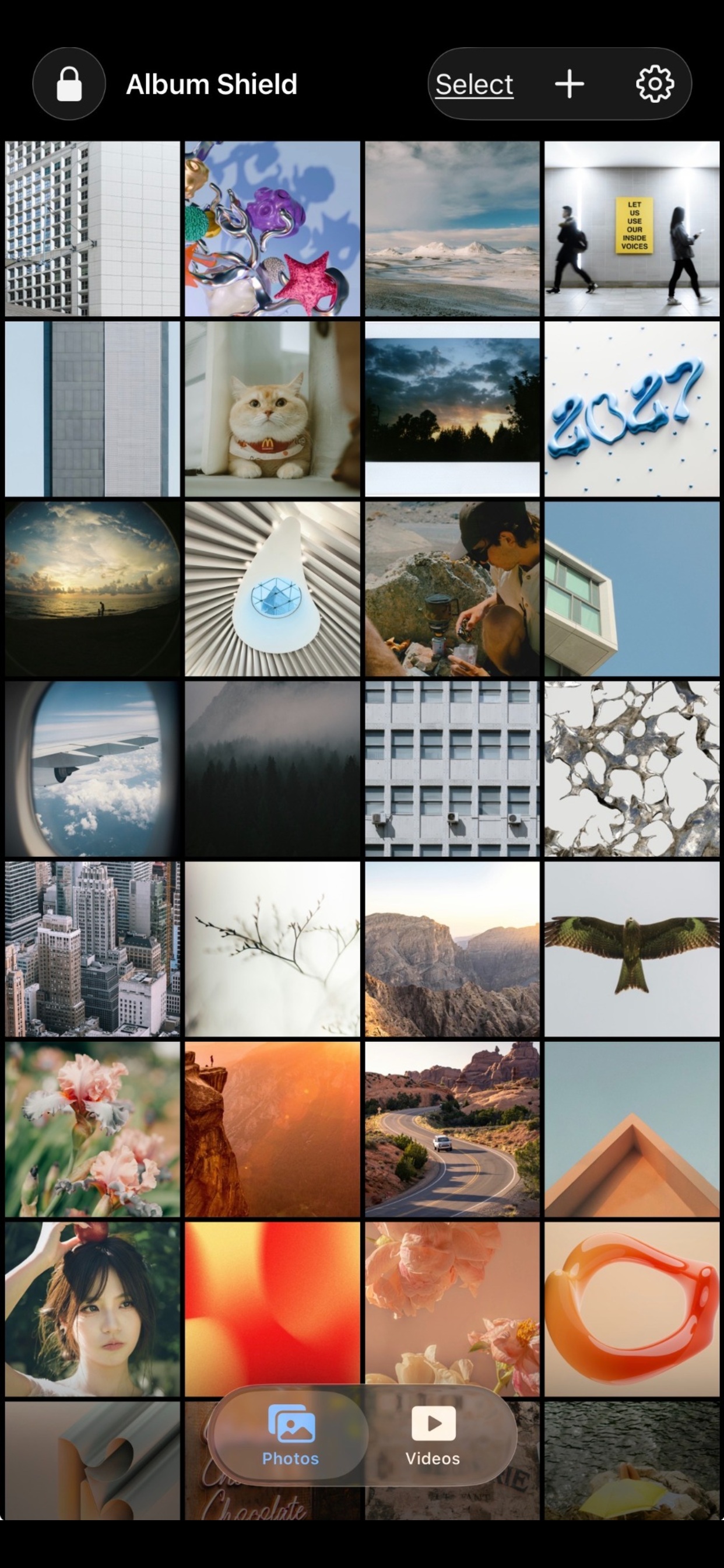
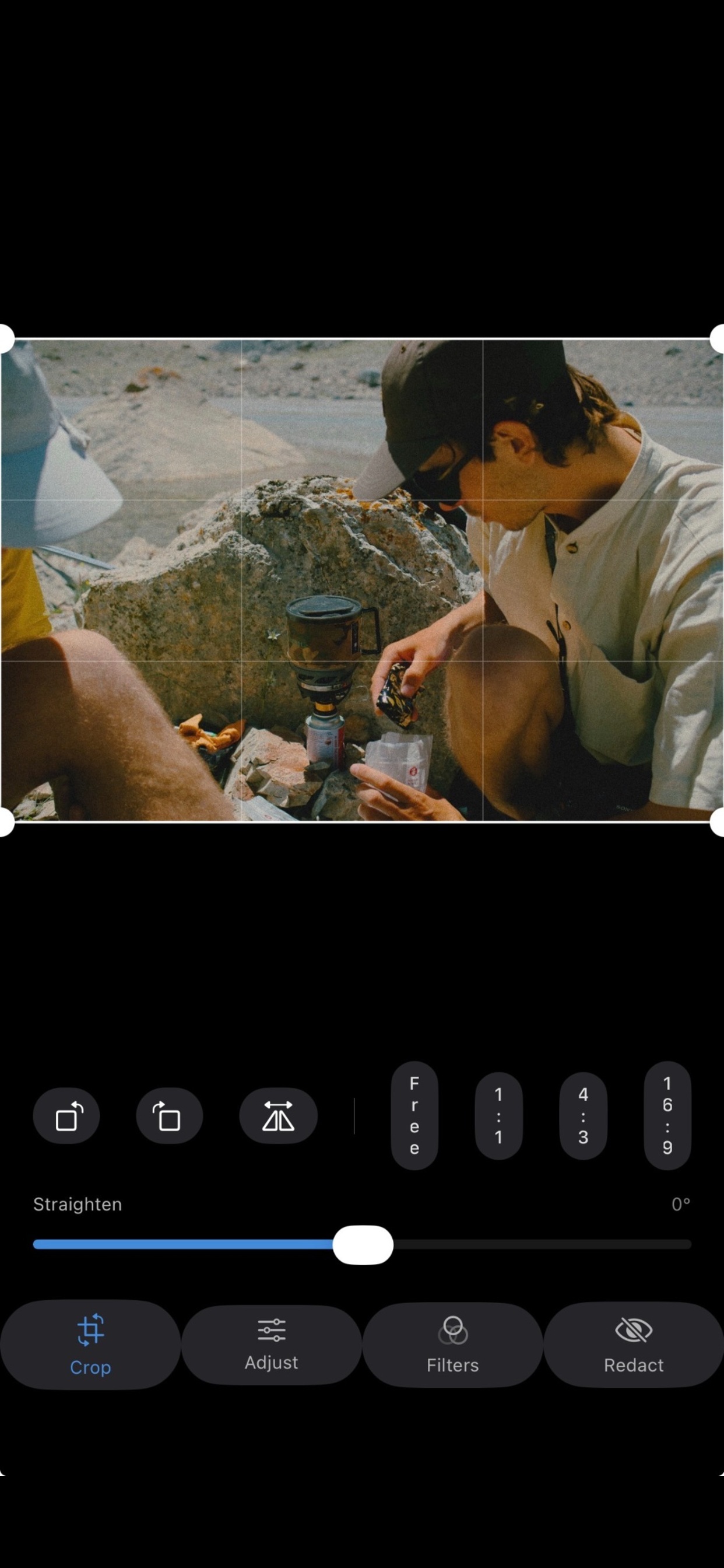
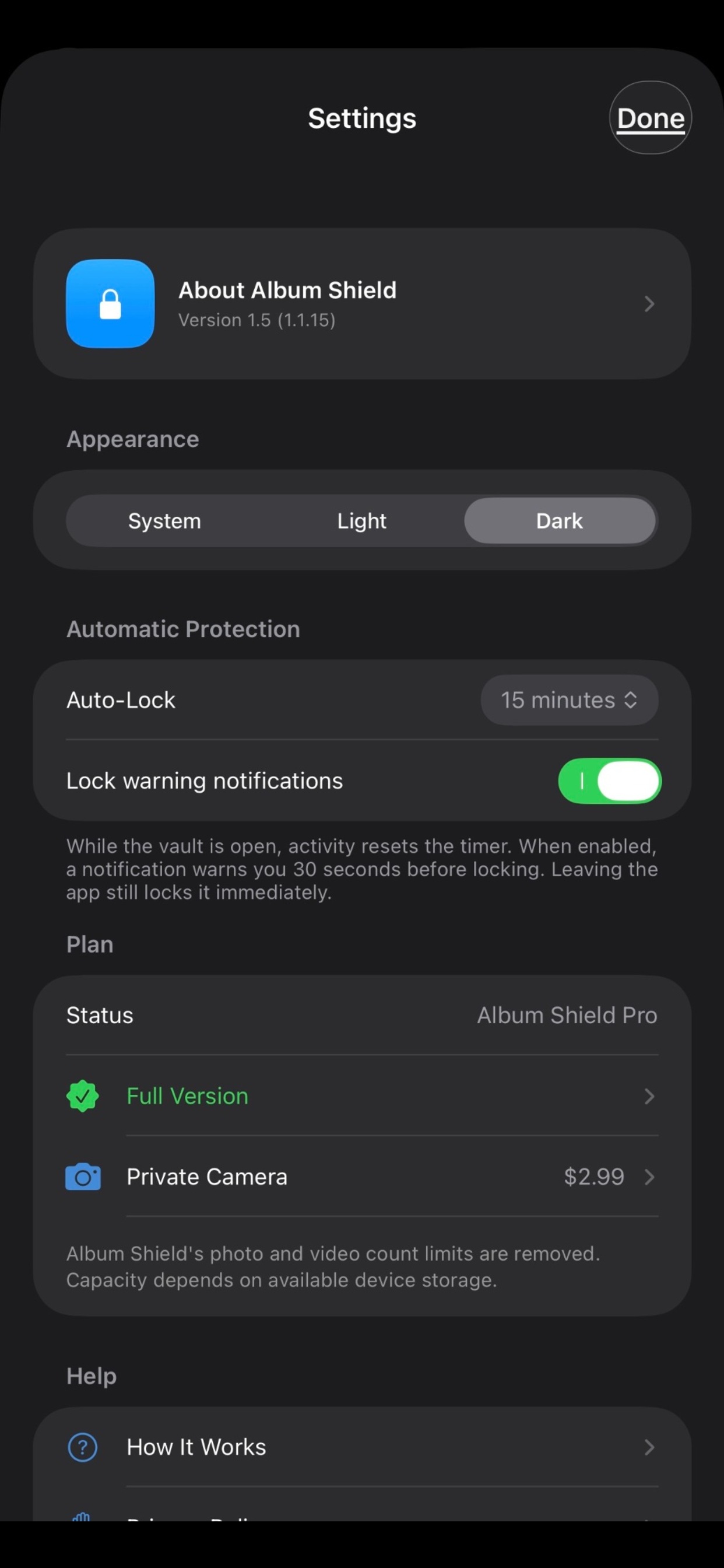
Select English, Français or Español during setup and configure your vault access.
Add photos and videos from Apple Photos, Files or the Share Sheet. Importing from Apple Photos, Album Shield can also offer to delete the originals there once they’re safely copied in — you decide, every time.
Use folders, tags, editing tools and built-in video playback. Export media whenever you need it.
Album Shield stores encrypted media locally. It does not provide cloud backup or automatic restoration on another device. Export and back up important files before deleting the app, erasing your device or replacing it. Permanently deleted media cannot be recovered.
Privacy PolicyNo account, advertising or recurring subscription in the app.
Store up to 15 photos and 5 videos.
A one-time purchase removes the app’s photo and video count limits.
A separate optional purchase for taking photos and recording videos.
Prices shown are U.S. prices. Your local App Store displays the applicable price. Restoring purchases restores eligible features, not vault media.